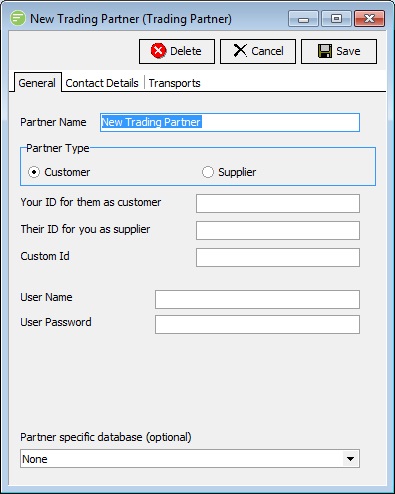
Trading Partners allow you to configure information specific to a particular party that you deal with, and then use this Trading Partner (and their specific details) in the execution of an Action. This allows you to configure one Action to perform a similar task but modify slightly how this Action is performed based on the Trading Partner it is currently executing for.
For example you might have an action that exports invoices. While the format that the invoice is exported to might be the same, one Trading Partner might like it delivered to their HTTP server while another likes it delivered via email. By configuring the Transport based on the Trading Partner you can use the one Action to deliver the invoices in the Trading Partner's desired method.
Trading Partners are always necessary when you are wanting to use Outbound Transports. This is because the link between file and the Transport to use is configured in the Trading Partner.
| Field Name | Description |
|---|---|
| Partner Name | A friendly name for the Trading Partner |
| Tab Name | Description |
|---|---|
| General | General options you need to fill in for all Trading Partners |
| Contact Details | Contact details that you can fill in if required |
| Transports | A list of Transports assigned to File Connections. |
| Button Name | Description |
|---|---|
| Save | Click to save any changes you have made. All changes will be lost if you do not click the Save button. |
| Cancel | Click to cancel any changes you have made |
| Delete | Click to delete this module. You will be asked to confirm your choice. |